imgskit Journal
Create Sprite Sheet Animations from One Image with AI
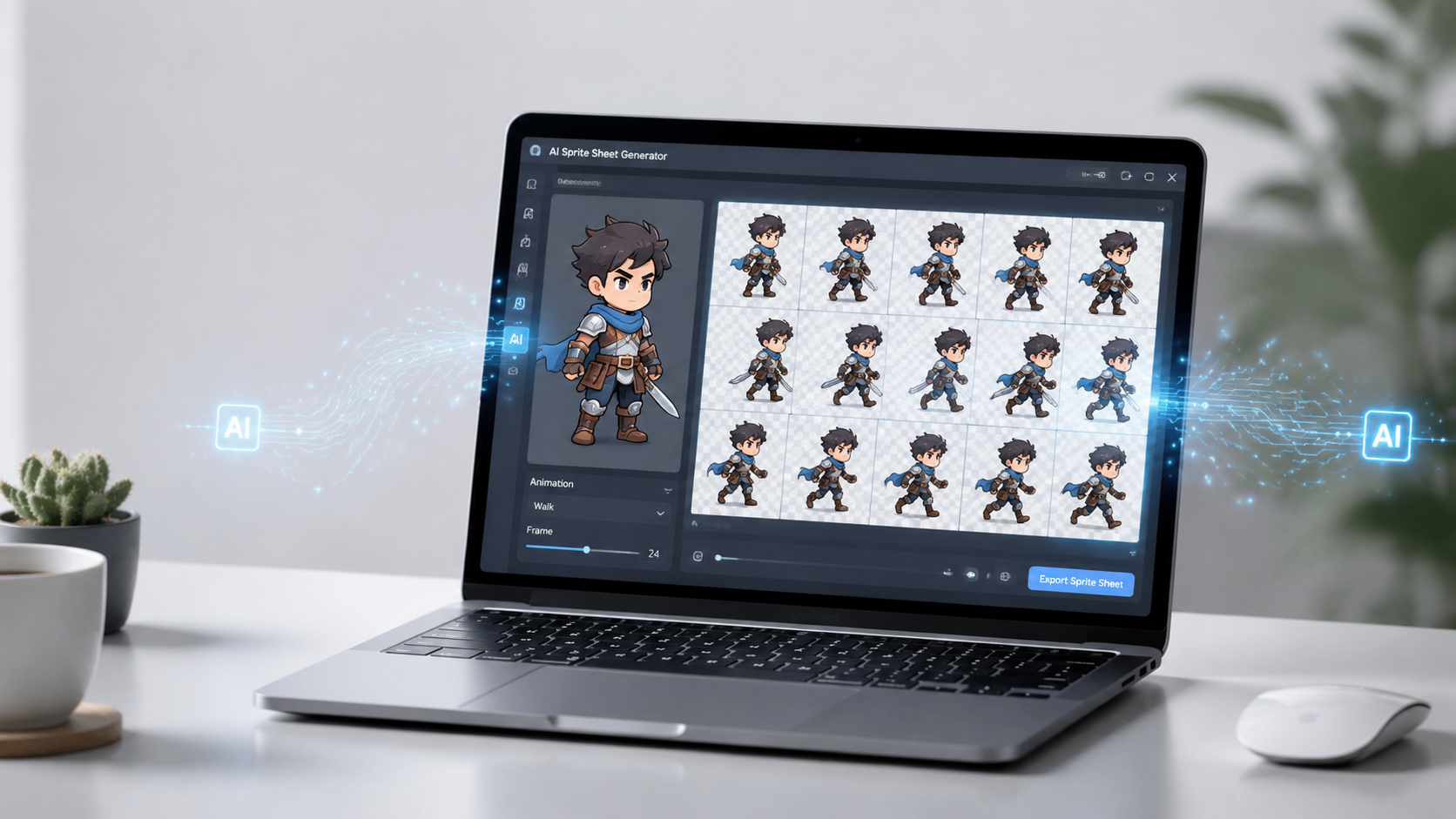
Now, an AI sprite sheet generator lets you convert a single static image into a full sequence of animation frames. Tools like Image2Animation simplify creating image-to-loop animations, character walk cycles, product GIFs, and other motion graphics—no advanced animation expertise required.
This tutorial covers how to generate sprite sheet animations from a single image, plus real-world use cases for games, e-commerce, and social media content.
What Is a Sprite Sheet Animation?
A sprite sheet is a grid layout containing all individual frames of an animation. When played sequentially, these frames produce smooth, seamless motion.
Unlike basic image sliding effects, sprite sheet animations render unique frames for every movement. They are ideal for:
- 2D game character animations
- 360° product rotation GIFs
- Website motion graphics
- Brand mascot animations
- Looping social media visuals
Common Sprite Sheet Grid Layouts
- 3×3 Grid: Best for longer motion sequences such as walking, running, or full character actions
- 2×2 Grid: Perfect for simple short loops like product rotations, logo animations, or subtle visual effects
Step-by-Step Guide: Generate Sprite Sheet Animations From One Image
1. Upload Your Source Image
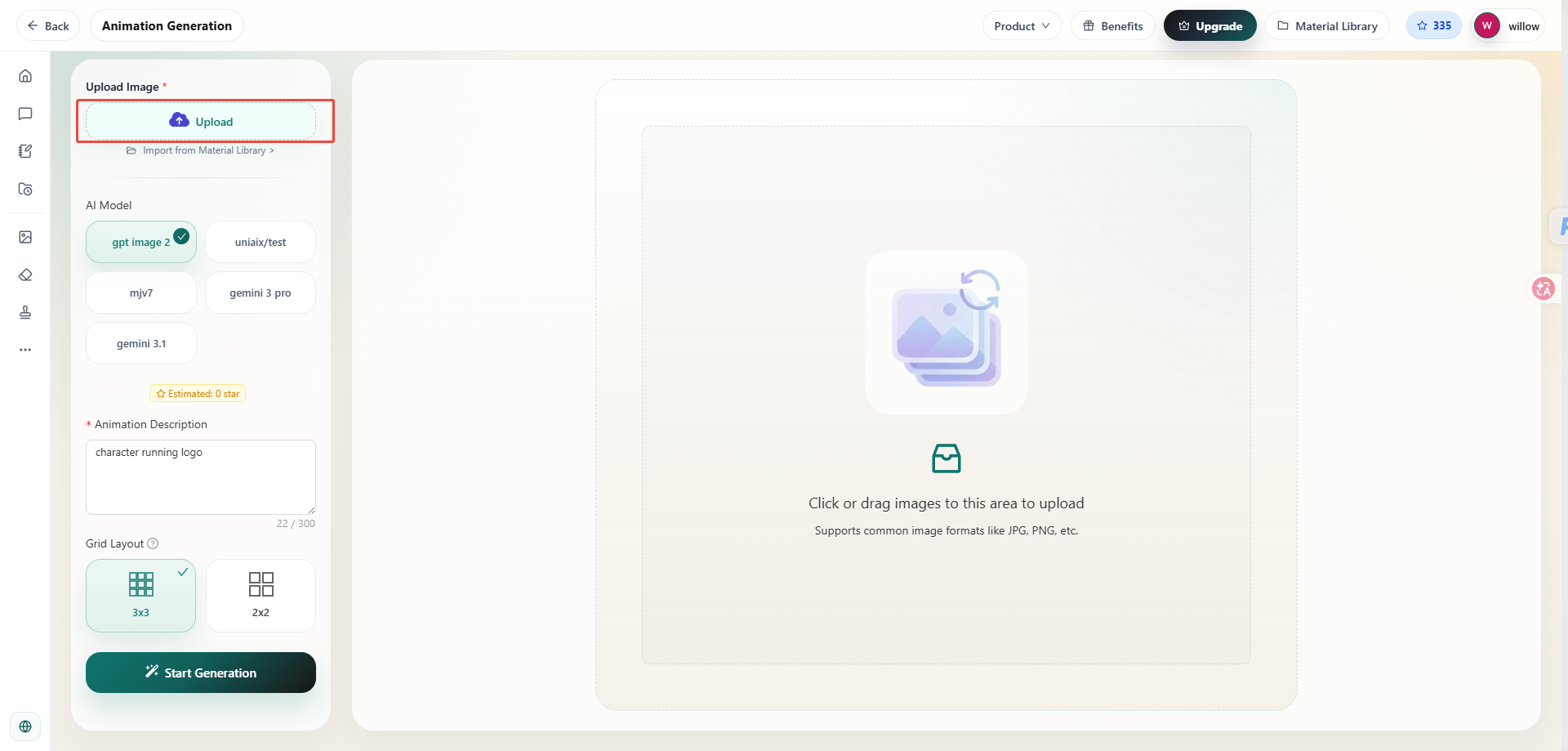
Start with a clear, well-defined subject image. Suitable asset types include:
- Cartoon characters
- Game art assets
- Product photography
- Fashion shots
- Hand-drawn illustrations
- AI-generated artwork
Images with distinct shapes and plain backgrounds tend to yield more consistent animation results.
2. Pick Animation Style & Grid Size
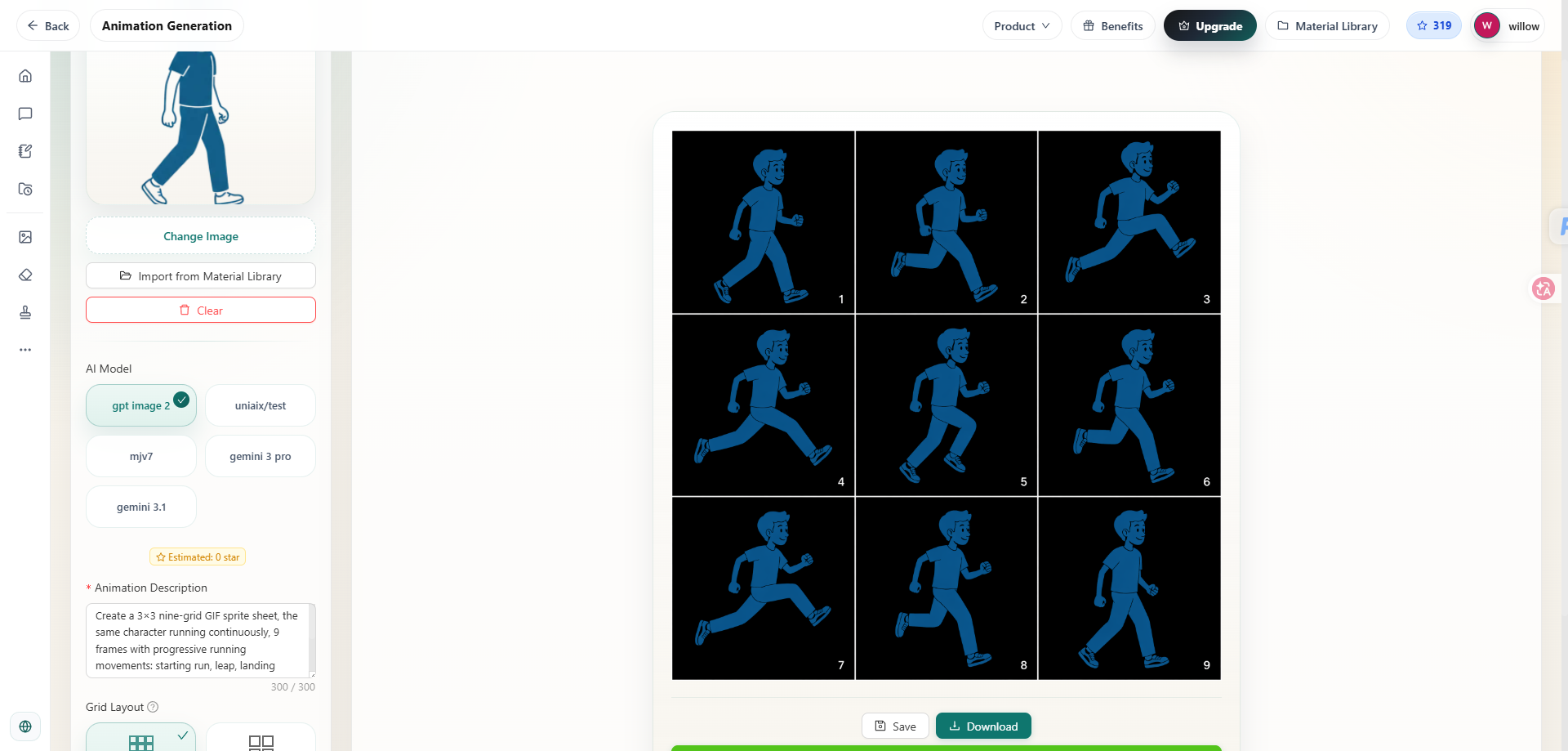
Choose your sprite grid layout based on your intended use case.
Prompt Writing Tips for Character Animations
When writing motion prompts, focus on describing the movement itself rather than repeating visual details from your source image.
3. Generate & Preview Animation Frames
The AI will output a set of frames that capture each stage of your requested motion. Before exporting, double-check these key points:
- Does the subject maintain consistent size across all frames?
- Does the movement look natural and fluid?
- Can the first and last frames loop together without jarring jumps?
If the animation feels stiff or unnatural, tweak your motion prompt and re-generate the frames.
4. Export Your Looping Animation
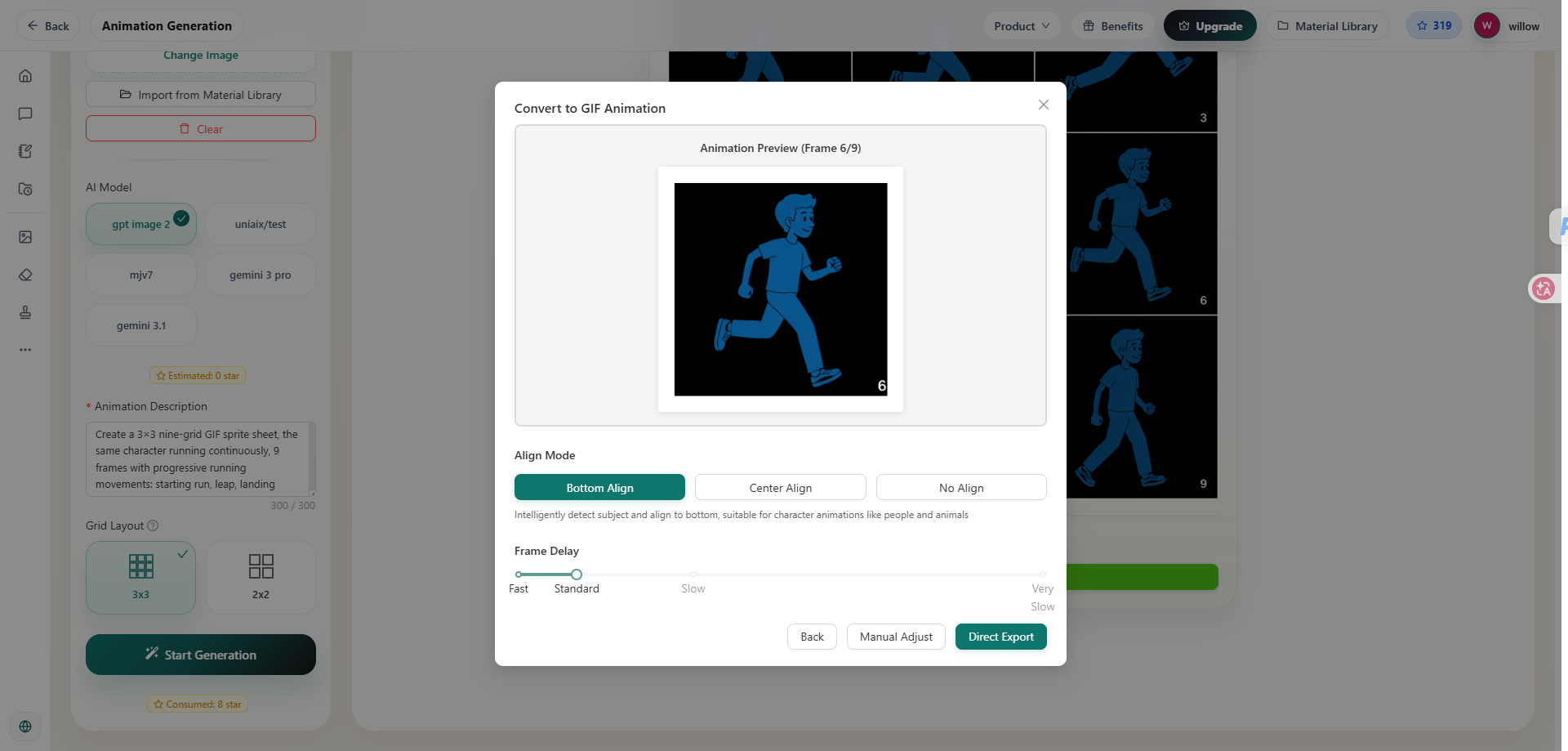
Once your sprite sheet is ready, adjust playback parameters to fit your project.
Alignment Options
- Bottom-Aligned: Recommended for walking, running, and other character locomotion animations
- Center-Aligned: Works great for rotating products, logos, and floating objects
Frame Timing Guide
Adjust animation speed based on your platform:
- Faster frame rate for in-game character actions
- Slower, gentle pacing for product showcase GIFs
- Balanced smooth timing for social media loop clips
You can export the final animation as a GIF file, or use the raw sprite sheet asset in game engines and design software.
Key Use Cases for AI-Generated Sprite Sheet Animations
Game Development
Hand-drawing character animations is one of the most labor-heavy stages of 2D game production. An AI game walk cycle animation maker streamlines production of:
- Walking loops
- Running cycles
- Idle character stances
- Short attack or interaction animations
Game developers can quickly prototype playable characters without drawing each frame manually.
E-Commerce Marketing
Most online store pages rely solely on static product photos, but subtle motion helps shoppers visualize items better. An e-commerce loop GIF creator supports assets like:
- 360-degree product previews
- Fabric and clothing movement animations
- Highlight animations for product features
- Animated website banners
Small looping animations create more engaging, interactive product listings.
Social Media & Brand Content
Loopable motion graphics perform exceptionally well on short-form platforms since they replay automatically. Content creators use them for:
- Animated brand mascots
- Reaction GIFs
- Promotional ad visuals
- Brand identity social assets
Core Advantages of AI Sprite Sheet Generators
Dramatically Faster Workflow
Generate an entire set of animation frames from one source image, eliminating tedious frame-by-frame drawing.
Consistent Visual Cohesion
The AI preserves your original art style, color palette, and character proportions across every generated frame.
This makes sprite animation accessible to independent creators, indie developers, and small business teams without formal animation training.
Final Thoughts
Creating polished looping animations no longer requires professional animation software or advanced technical skills. AI sprite sheet generators turn any static image into a complete animation sequence for games, online retail, and social media marketing.
Whether you need a seamless game character walk cycle, a rotating product GIF, or simple looped marketing visuals, image-to-animation AI tools deliver a fast, beginner-friendly way to bring static art to life.