imgskit Journal
How to Remove Watermarks from Photos Online — Fast, Clean, No Software Needed
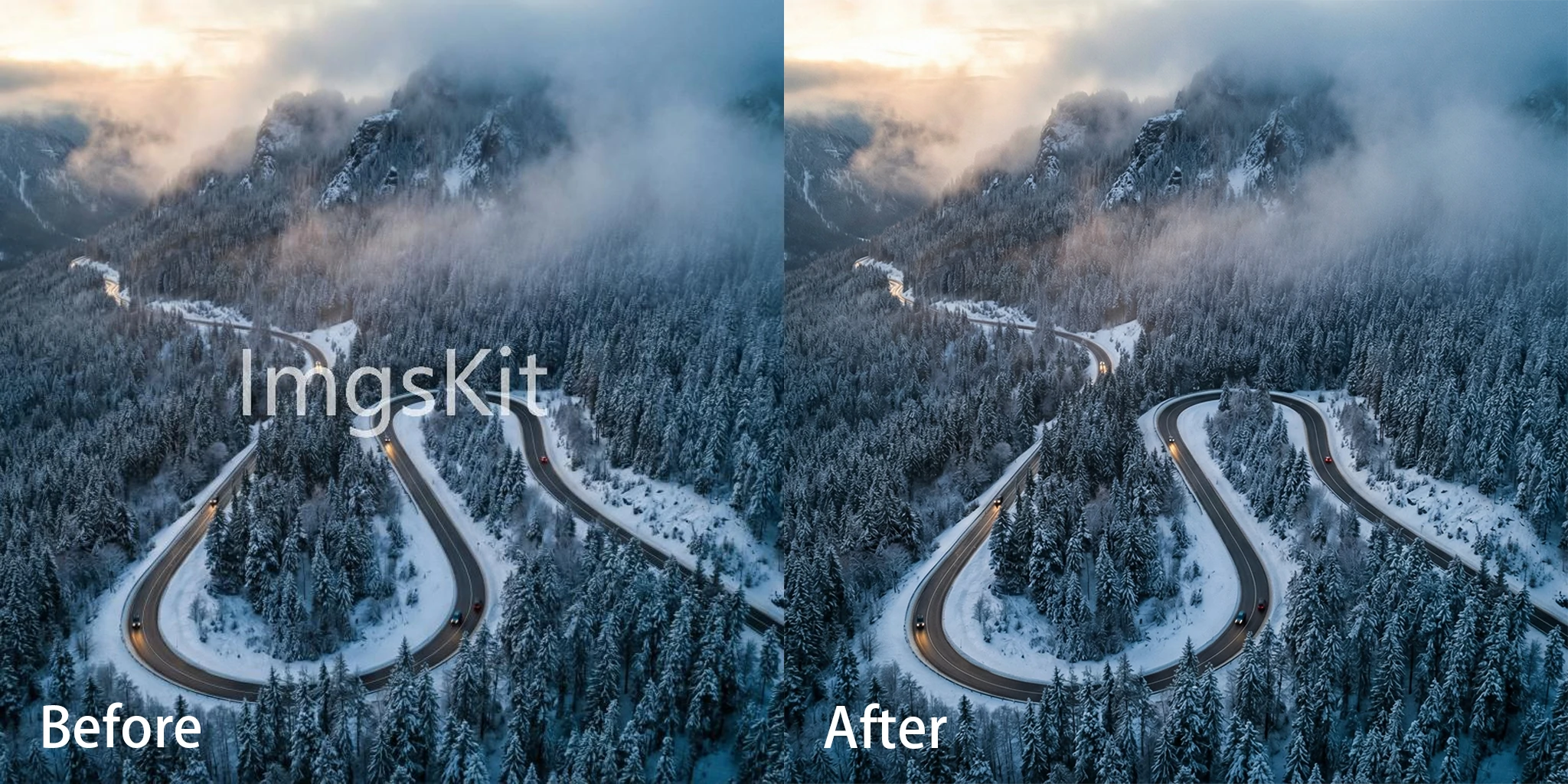
There's a specific kind of frustration that comes from a photo you'd otherwise love — except for the watermark stamped across it. A date stamp baked into the corner by an old camera. A copyright notice layered over an image you actually own the rights to. A platform logo embedded in a screenshot you need to use cleanly.
Whatever the source, watermarks get in the way. And while removing them used to mean careful, time-consuming work in Photoshop, AI-powered watermark removers have changed the equation entirely. Clean removal now takes seconds — and the results are seamless enough that you genuinely can't tell anything was ever there.
This guide covers how watermark removal works, who needs it, how to use imgskit's watermark remover, and what to keep in mind when using these tools responsibly.
Why Watermarks End Up Where You Don't Want Them
Not every watermark is someone else's copyright notice. Plenty of watermarks end up on photos you own entirely — they just got there by accident or circumstance:
Platform and app watermarks get added automatically by certain editing apps, social platforms, or export tools — often without the user realizing it until after the fact.
Stock photo preview watermarks appear on images during the selection process, and occasionally a preview gets saved or used before the proper licensed version is downloaded.
Self-applied watermarks that need updating — a business that added a logo or URL to their own images and later rebranded, needing a clean version to rework.
In all of these cases, the person removing the watermark from the photo has every right to do so. The tool simply makes the process fast and clean.
How AI Watermark Removal Works
Older watermark removal approaches worked by sampling the pixels surrounding the watermark area and blending or tiling them into the gap. It worked acceptably on plain, uniform backgrounds — a watermark on a clear sky, for instance — but produced obvious patches on anything more complex.
Modern AI watermark removers work very differently. The underlying technology, known as AI inpainting, trains on enormous volumes of images and learns to understand what should be in a given area — not just what's immediately around it, but the broader context of the scene. When you mark a watermark for removal, the AI doesn't just fill the gap with nearby pixels. It reconstructs what should logically be there: the continuation of a texture, the natural flow of a background, the surface of a product without the overlay on top.
The result feels native to the image. Not patched, not blurred, not obviously cloned — just the photo as it would have looked without the watermark in the first place.
What Types of Watermarks Can Be Removed?
imgskit's watermark remover handles a wide range of watermark types:
Text watermarks — copyright notices, ownership labels, website URLs embedded in an image.
Logo and icon watermarks — brand logos, platform icons, or any graphic overlay applied on top of a photo.
Semi-transparent watermarks — the kind that sit over the image at partial opacity, which are particularly tricky for manual editing but well within reach for AI removal.
Repeated tile watermarks — some stock platforms apply a repeating pattern across the entire image; AI inpainting can reconstruct the underlying content even through these.
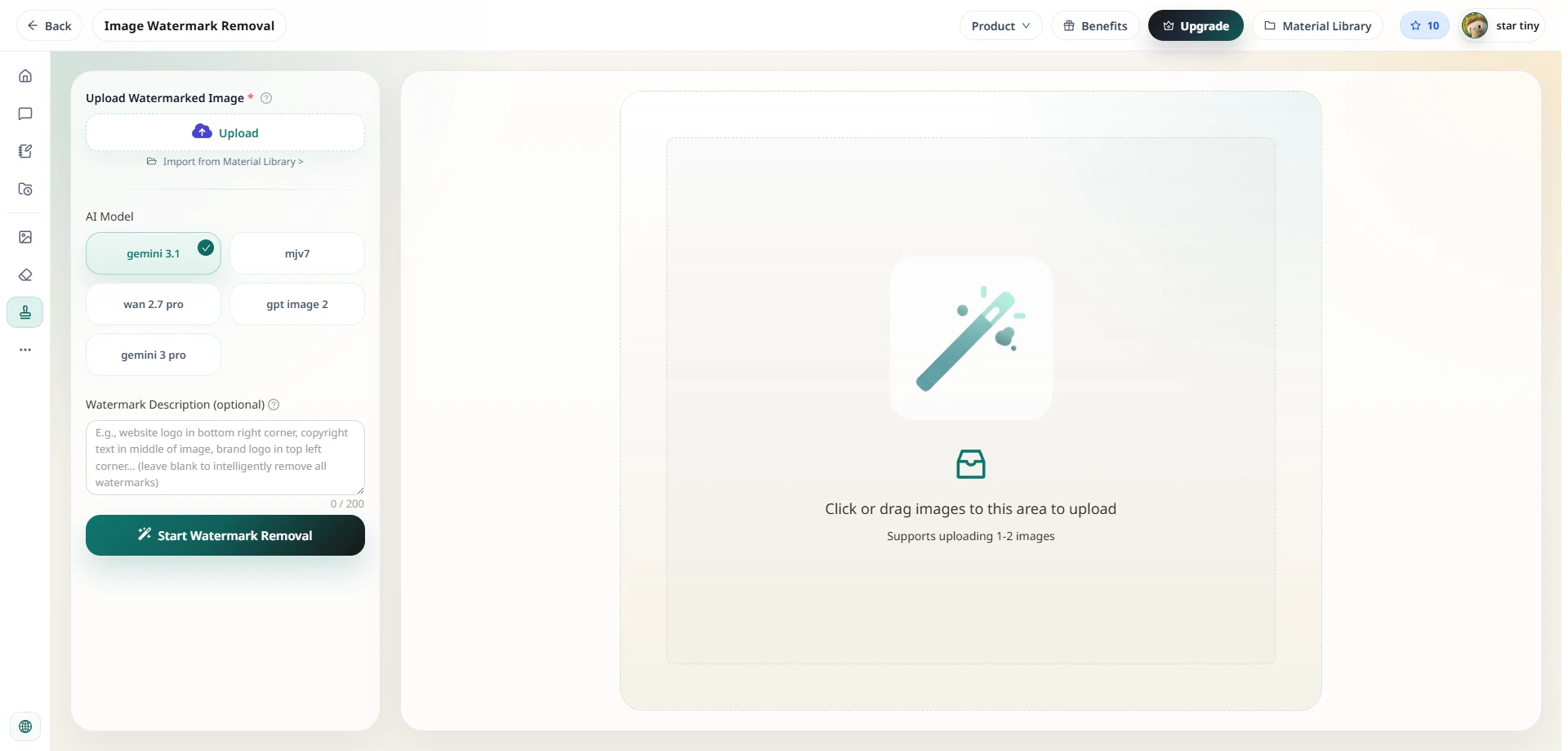
How to Remove a Watermark from a Photo with imgskit
Head to imgskit.com/watermark-remover to get started. No account required, no software to install.
Step 1: Upload Your Photo
Drag and drop your image onto the canvas, or click to browse your files. JPG, PNG, and WEBP formats are all supported.
Step 2: Brush Over the Watermark
Use the brush tool to paint over the watermark you want to remove. You don't need pixel-perfect precision — a rough stroke covering the watermark area is enough. The AI reads the intent, not the exact boundary.
Step 3: Let the AI Work
The model analyzes the image context around the marked area and reconstructs what should be there. The process takes seconds.
Step 4: Review and Refine
Check the result. For most watermarks — particularly text and logo overlays — the removal is clean on the first pass. If any trace remains, simply brush over the residual area and run the process again.
Step 5: Download
Export your watermark-free photo, ready to use.
A Note on Responsible Use
AI watermark removal is a powerful capability, and it's worth being direct about appropriate use.
Removing watermarks from your own photos is entirely legitimate. Camera date stamps, app watermarks, platform logos on your own exported content, or old branding on images you own — these are all straightforward use cases with no ethical or legal issue.
Removing watermarks from licensed images you've properly purchased is also fine. If you've licensed an image and are working from a preview version, the right move is to download the licensed file — but the tool is appropriate to use on content you have the rights to.
Removing watermarks from images you don't own or haven't licensed is copyright infringement. Watermarks exist to protect photographers' and creators' intellectual property. Using a watermark remover to strip the protection from someone else's work and then using that image — commercially or otherwise — is illegal in most jurisdictions, regardless of the tool used. This isn't a disclaimer buried in fine print; it's a real legal risk.
The legitimate use cases for watermark removal are plentiful and clear. Used on your own content, imgskit's watermark remover is one of the most useful tools in a photographer's or content creator's kit.
Frequently Asked Questions
What image formats are supported? JPG, JPEG, PNG, and WEBP formats are all supported for upload and download.
Does removing a watermark from a photo affect the image quality? No. The AI fills the removed area by reconstructing image content — not by degrading or compressing the surrounding image. The output maintains the quality of the original.
Can it remove semi-transparent or tiled watermarks? Yes. Semi-transparent watermarks and repeating pattern overlays are both within scope for AI inpainting, though heavily tiled watermarks across the full image may require more detailed brushwork to cover.
Do I need to create an account? No account is required to use the watermark remover. Upload your image and start immediately.
Will there be any visible trace after removal? For the majority of watermarks — text, logos, and overlays — the result is clean and seamless. Very large or complex watermarks over highly detailed backgrounds may occasionally benefit from a second pass for a perfect result.
Ready to Remove Your Watermark?
Whether it's a platform logo on your own content, an app watermark on an exported file, or a copyright notice on an image you have full rights to — AI makes removing a watermark from a photo fast, clean, and seamless.
No Photoshop skills. No manual cloning. No visible patch where the watermark used to be.
Remove watermarks from your photos with imgskit →
imgskit also offers AI-powered background removal, object cleanup, pixel art conversion, photo colorization, image enhancement, and AI image generation.