imgskit Journal
How to Remove Image Backgrounds for Free — No Photoshop, No Skills Needed
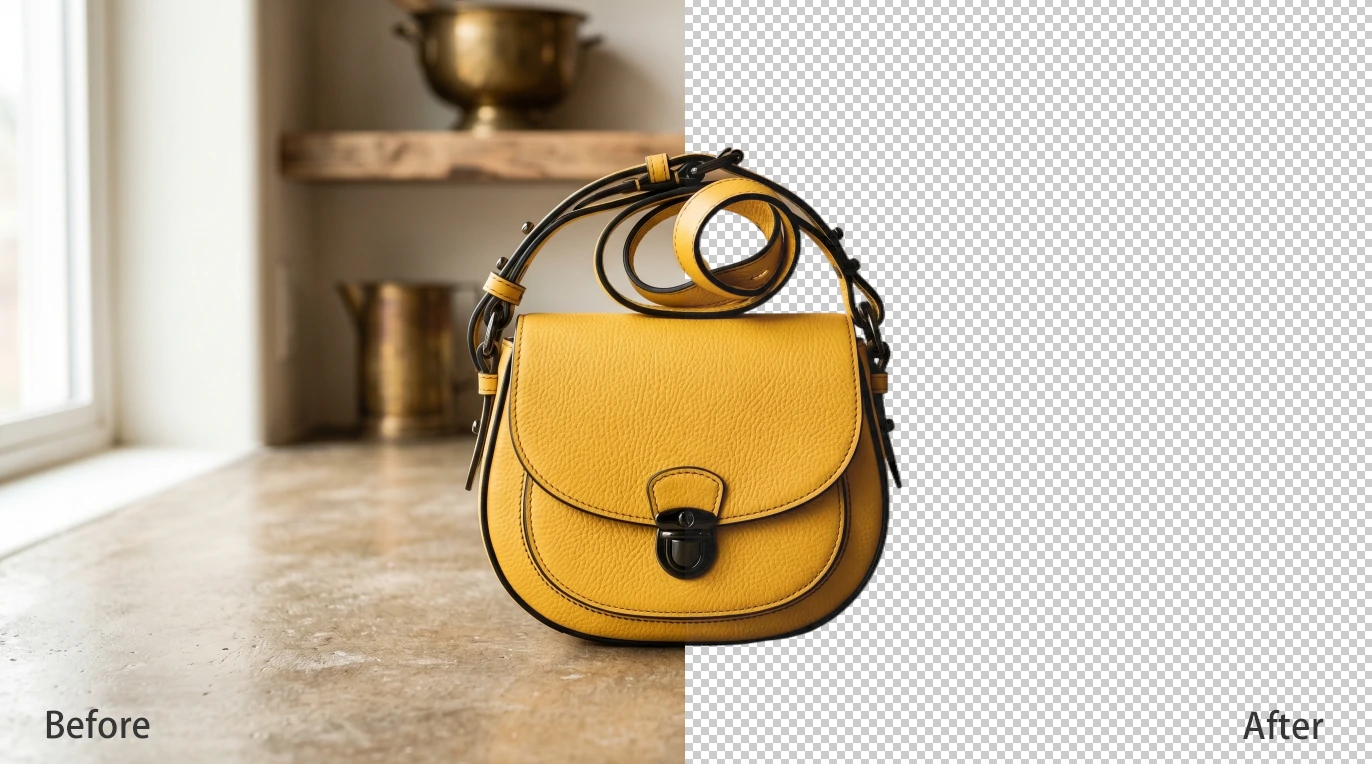
Whether you're an online seller trying to make your product photos look polished, a content creator building a brand, or simply someone who wants a cleaner headshot — removing an image background used to mean hours in Photoshop. Not anymore.
In 2026, AI has made it possible to remove background from image files instantly, for free, with results that rival professional retouching. No design skills. No software installation. Just upload, click, and done.
In this guide, we'll walk you through everything you need to know — why background removal matters, who it's for, and how to do it in seconds.
Why Background Removal Matters More Than You Think
A clean background isn't just an aesthetic preference — it has real, measurable impact.
For e-commerce sellers, product images on a white or transparent background consistently outperform cluttered photos. Marketplaces like Amazon, Etsy, and Shopify all recommend — or even require — clean product images. Poor or insufficient visuals directly lead to higher cart abandonment rates. A clean cutout puts the focus squarely on what you're selling.
For social media creators, erasing a distracting image background lets you place yourself or your subject into any setting — branded templates, gradient backgrounds, seasonal themes — keeping your feed looking consistent and professional.
For designers and marketers, working with cutout images (transparent PNGs) is fundamental. Whether you're building a presentation, designing a banner, or compositing campaign assets, having clean background-free files saves enormous amounts of time.
The Old Way vs. The AI Way
Not long ago, removing a background meant:
- Opening Photoshop or GIMP
- Using the Magic Wand or Pen tool — both notoriously finicky
- Manually refining edges, especially around hair or fur
- Spending 15–30 minutes on a single image
This was a genuine skill barrier. If you weren't a trained designer, results often looked unnatural — jagged edges, missed pixels, halos around the subject.
AI has changed all of that. Modern tools use deep learning models trained on millions of images to automatically detect the foreground subject and separate it cleanly — including complex edges like flyaway hair, transparent glasses, or fluffy pets. What used to take half an hour now takes about three seconds.
Who Needs a Background Remover?
Almost everyone working with images has a use case. The most common include:
E-commerce & Product Photography Online store owners need clean product shots for listings. A white or transparent background makes products look premium and meets marketplace upload guidelines — without hiring a professional photographer or retoucher.
Freelancers & Small Business Owners If you're creating your own marketing materials — social posts, website banners, business cards — you need images you can drop onto different backgrounds without a visible rectangular box around your subject.
Bloggers & Content Creators Thumbnails, header images, and infographics all benefit from cutout subjects. A YouTuber placing themselves over a designed background, or a blogger creating a custom header, needs clean PNGs.
Students & Everyday Users Presentations, profile pictures, passport photo adjustments, family photo clean-ups — casual users have plenty of everyday reasons to reach for a free background remover.
How to Remove a Background for Free with imgskit
imgskit's background remover is one of the fastest free tools available — and it requires no account or software download to get started.
Step 1: Open the Tool
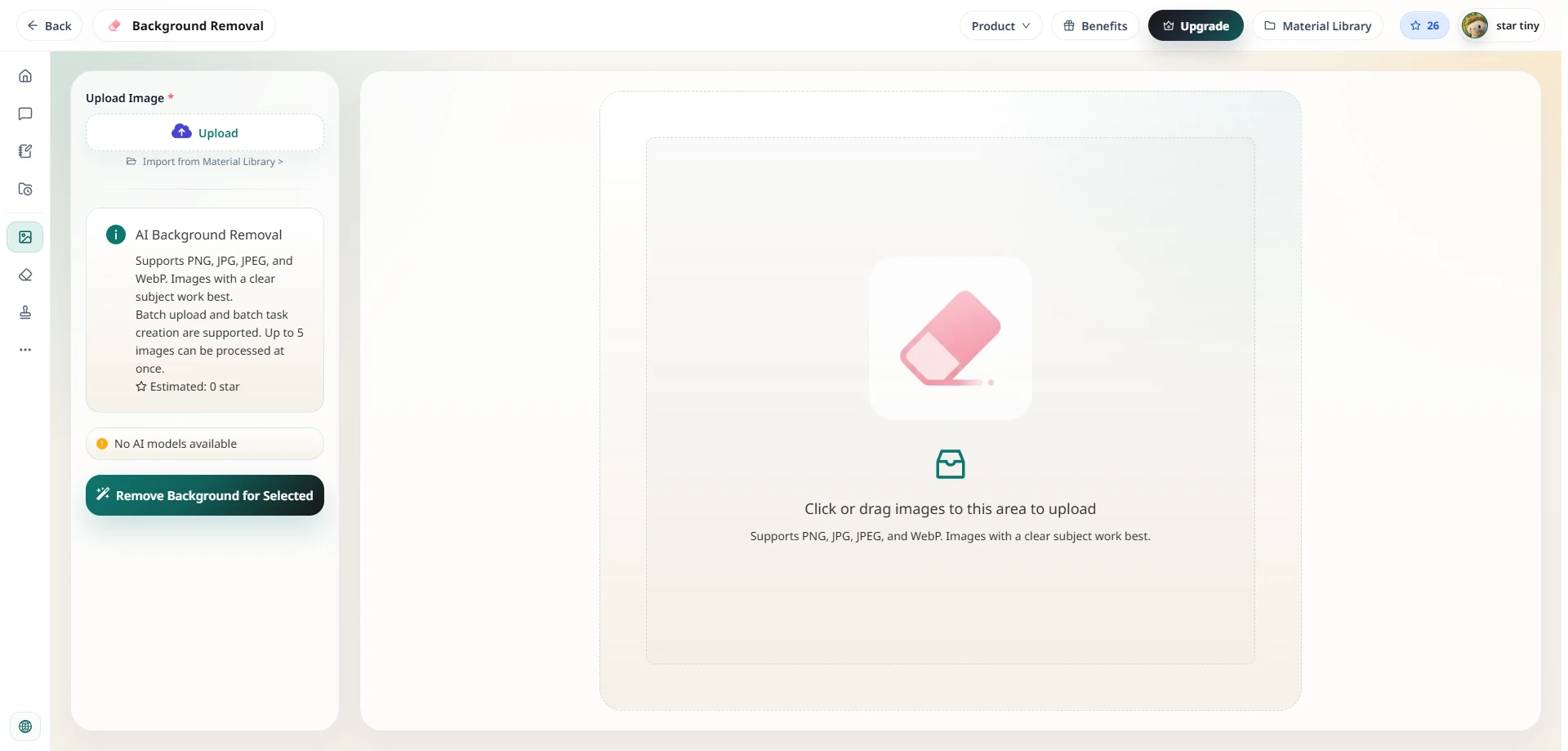
Go to imgskit.com/image-eraser. You'll see a clean upload interface with no mandatory sign-up prompts.
Step 2: Upload Your Image
Click to upload your photo, or drag and drop it directly onto the canvas. JPG, JPEG, PNG, and WEBP formats are all supported. High-resolution images are processed without quality loss.
Step 3: Let the AI Work
The AI model detects the foreground subject automatically — whether that's a person, a product, an animal, or an object — and erases the image background within seconds. You're shown a clean preview on a transparent or neutral background immediately.
Step 4: Refine If Needed
For images with complex edges like hair or textured clothing, a manual brush tool lets you restore or erase specific areas the AI may have missed. Most images won't need this step at all.
Step 5: Download
Export your finished image as a transparent PNG, ready to use in any design tool, marketplace listing, social post, or presentation.
The entire process typically takes under 30 seconds.
Tips for Getting the Best Results
Even with AI doing the heavy lifting, a few simple habits will consistently improve your output:
Use images with clear contrast between subject and background. The AI performs best when the foreground is visually distinct from what's behind it — a person in a dark jacket against a light wall, or a product on a neutral surface.
Shoot in good, even lighting. Harsh shadows that blend into the subject or overly bright backgrounds can confuse edge detection. Soft, diffused light produces the cleanest cutouts.
Start with higher-resolution images. More pixel data means the AI can render finer details more accurately — particularly around hair and transparent surfaces like glasses.
Frequently Asked Questions
Is imgskit's background remover really free? Yes. The core background removal feature is free to use without a subscription. Upload, remove background free of charge, and download — no payment required.
What image formats are supported? JPG, JPEG, WEBP, and PNG are all supported.
Is my image kept private? All uploads are encrypted via SSL during transfer and are automatically deleted from the server after processing. Your images are never stored or shared.
Can it handle hair and complex edges? Yes. The AI model is specifically designed to handle fine edge detail including hair, fur, and semi-transparent elements — the hardest cases for traditional tools, and where AI removal genuinely outperforms manual methods.
Do I need to create an account? No account is required. Simply head to the background remover page and start uploading immediately.
Ready to Try It?
Removing an image background used to be a specialist skill. Today it's a three-second task — and a free one.
Whether you need clean product images for your store, a polished headshot, or a cutout for a creative project, imgskit gets you professional results without the professional price tag.
No Photoshop. No downloads. No learning curve.
Remove your image background for free →
imgskit also offers AI-powered watermark removal, object cleanup, photo colorization, image enhancement, pixel art conversion, and AI image generation.