imgskit Journal
AI Gender Swap Filter: See Your Opposite-Gender Self Without Losing Your Real Face
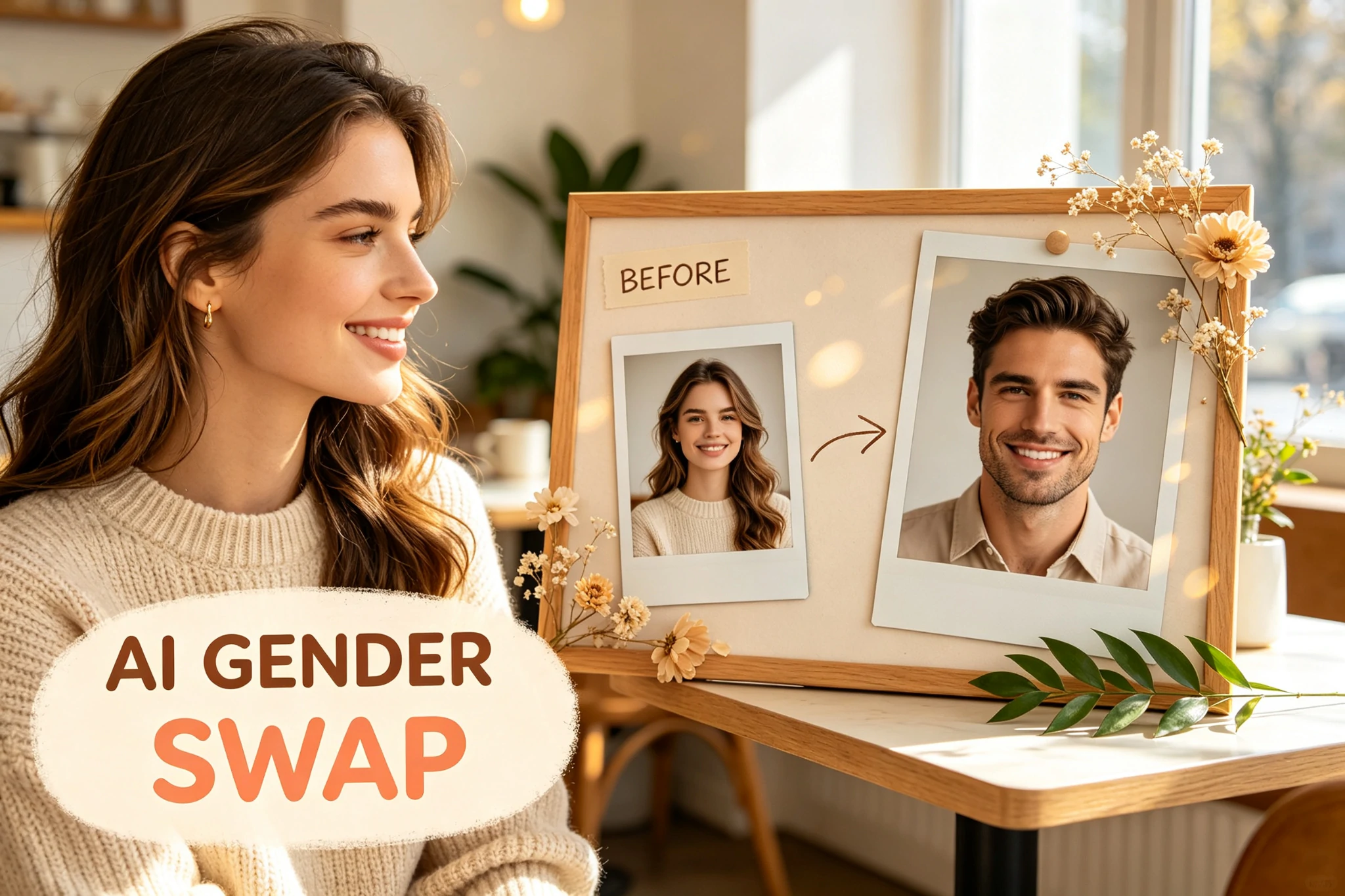
When "what would I look like as the opposite gender" takes over your feed
Scroll TikTok for five minutes and you'll hit at least one gender swap reveal — a guy's face slowly softening into a girl's, or someone's jaw squaring off into a completely different person who still, somehow, looks like them. The comments are always the same: "wait this could be your sibling," "the eyes gave it away immediately," "I need to try this."
That's the whole appeal of an AI gender swap filter: it's not about becoming someone else, it's about meeting a version of yourself that never existed. And the best transformations are the ones where people can still pick you out of a lineup — same eyes, same nose, same little smirk, just wrapped in a different gender presentation. That's exactly what we built ImgsKit to do.
Male to female AI photo, female to male — without losing what makes you you
Most gender swap tools do one of two things badly. Either they slap a wig and some makeup over your existing face (looks like a filter, not a transformation), or they go so far the other direction that the output could be a total stranger. Neither one is satisfying, because the fun of a genderbend picture is the double-take moment — "wait, is that actually me?"
Our model is trained to hold onto your bone structure, facial proportions, and expression while shifting the gender-coded details: jawline softness, brow shape, hairstyle, skin texture, even the subtle way light falls on a more feminine or masculine face. Whether you're going for a clean male to female AI photo transformation or the reverse, the identity underneath stays recognizably yours. Friends should have to look twice, not zero times and not forever.
A few ways people actually use this:
- Curiosity — the classic "what would I have looked like born the other gender" question
- Character design for writers, cosplayers, and game artists exploring a persona across genders
- Playful before/after content for TikTok, Instagram Reels, and group chats
- Genuinely private self-exploration, done at your own pace with no judgment
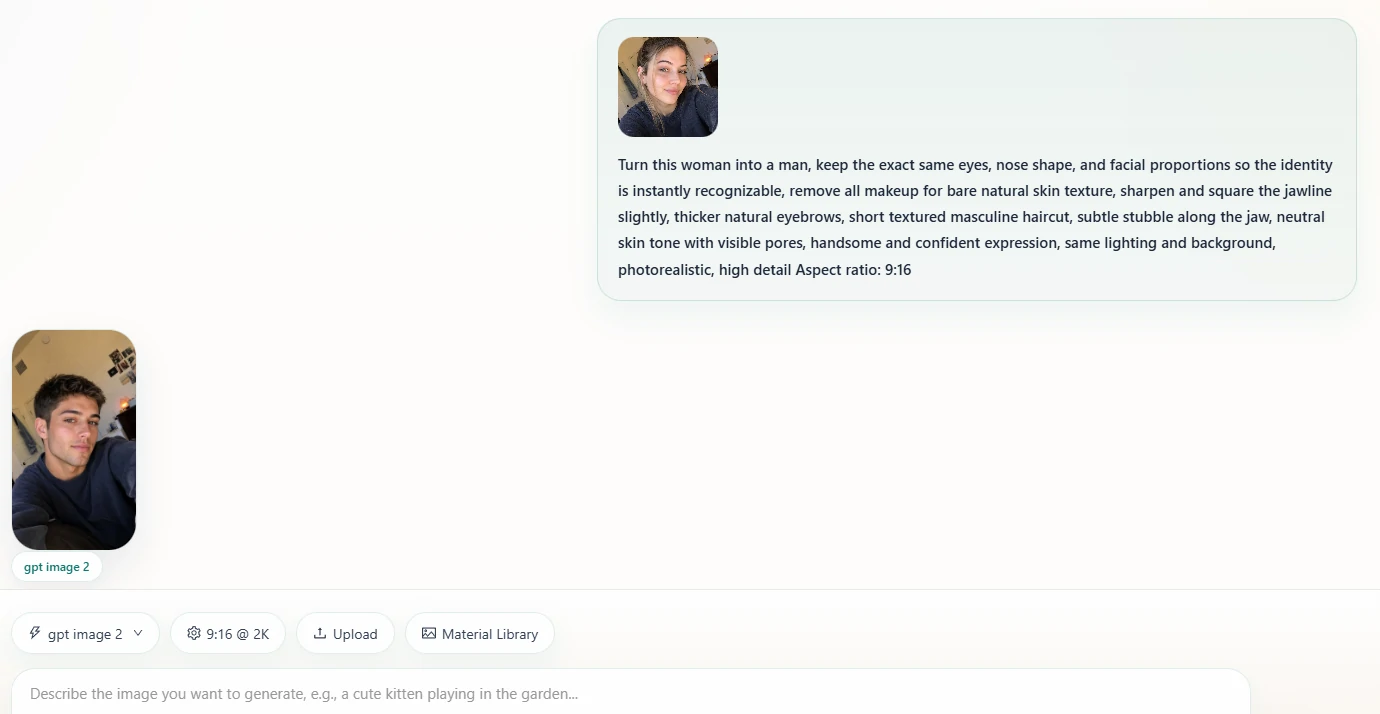
If you've never tried an AI gender swap filter, the fastest way to understand it is honestly just to run one photo through it — a well-lit, front-facing selfie works best, hair pulled back if possible so the AI can read your actual face shape.
Prompt examples: how to actually get a good gender swap photo online for free
If you're using ImgsKit's text-guided mode, the prompt matters. Vague prompts get vague results. Here are a few that consistently produce clean, recognizable gender swap photo online free results:
Male to female:
"Turn this man into a woman, keep the exact same eyes, nose shape, and facial proportions so the identity is instantly recognizable, soften the jawline naturally, thinner arched eyebrows, shoulder-length soft wavy hairstyle, light natural makeup with subtle blush and soft lip tint, smooth even skin texture, same lighting and background, photorealistic, high detail"
Female to male:
"Turn this woman into a man, keep the exact same eyes, nose shape, and facial proportions so the identity is instantly recognizable, remove all makeup for bare natural skin texture, sharpen and square the jawline slightly, thicker natural eyebrows, short textured masculine haircut, subtle stubble along the jaw, neutral skin tone with visible pores, handsome and confident expression, same lighting and background, photorealistic, high detail"
Playful contrast / meme-ready version:
"Gender-swapped portrait, keep facial features fully recognizable, exaggerate the contrast with the original — dramatic hair and styling change, funny 'twin' energy, studio lighting, high quality"
Small tweaks change everything — swap "photorealistic" for "soft anime style" if you want something less literal, or add "keep freckles and glasses" if those details matter to you. The more specific you are about what to keep the same, the more believable the "twin" effect turns out.
Ready to see your gender-swapped self? Upload one photo on ImgsKit and get your transformation in under a minute — no editing skills, no design software, just a prompt and a picture.
FAQ
Does this AI gender swap filter actually look like me? That's the goal. The model preserves your core facial geometry — eyes, nose bridge, mouth shape — while adjusting gender-typical features like jaw softness, brow thickness, and hairstyle. Most people say the result still "reads" as them.
Is my photo private? Yes. Upload a clear photo, generate your result, and download it — your image isn't used to train other users' generations.
Can I do a full-body genderbend, not just the face? Yes, upload a full-body photo and mention clothing and body styling in your prompt for a complete transformation, not just a face swap.
What if the result looks too different from me? Try a prompt that explicitly says "keep the same face shape and eye color" and use a clear, front-facing, well-lit source photo. Side angles and heavy filters on the original photo tend to confuse the output.
Is this the same as a face swap? No — a face swap replaces your face with someone else's. A gender swap reshapes your own features into a different gender presentation while keeping your identity intact.
The takeaway
An AI gender swap filter works best when it does one job well: change your gender presentation while leaving the "you" part alone. That's the difference between a forgettable filter and a photo your friends screenshot and send back to you with seventeen exclamation points. Try a male-to-female or female-to-male transformation on ImgsKit today, start with one of the prompts above, and see how close your opposite-gender self really looks to you.