imgskit Journal
Colorize Photo Free Online: AI Black & White to Color Tool with 10+ Art Styles
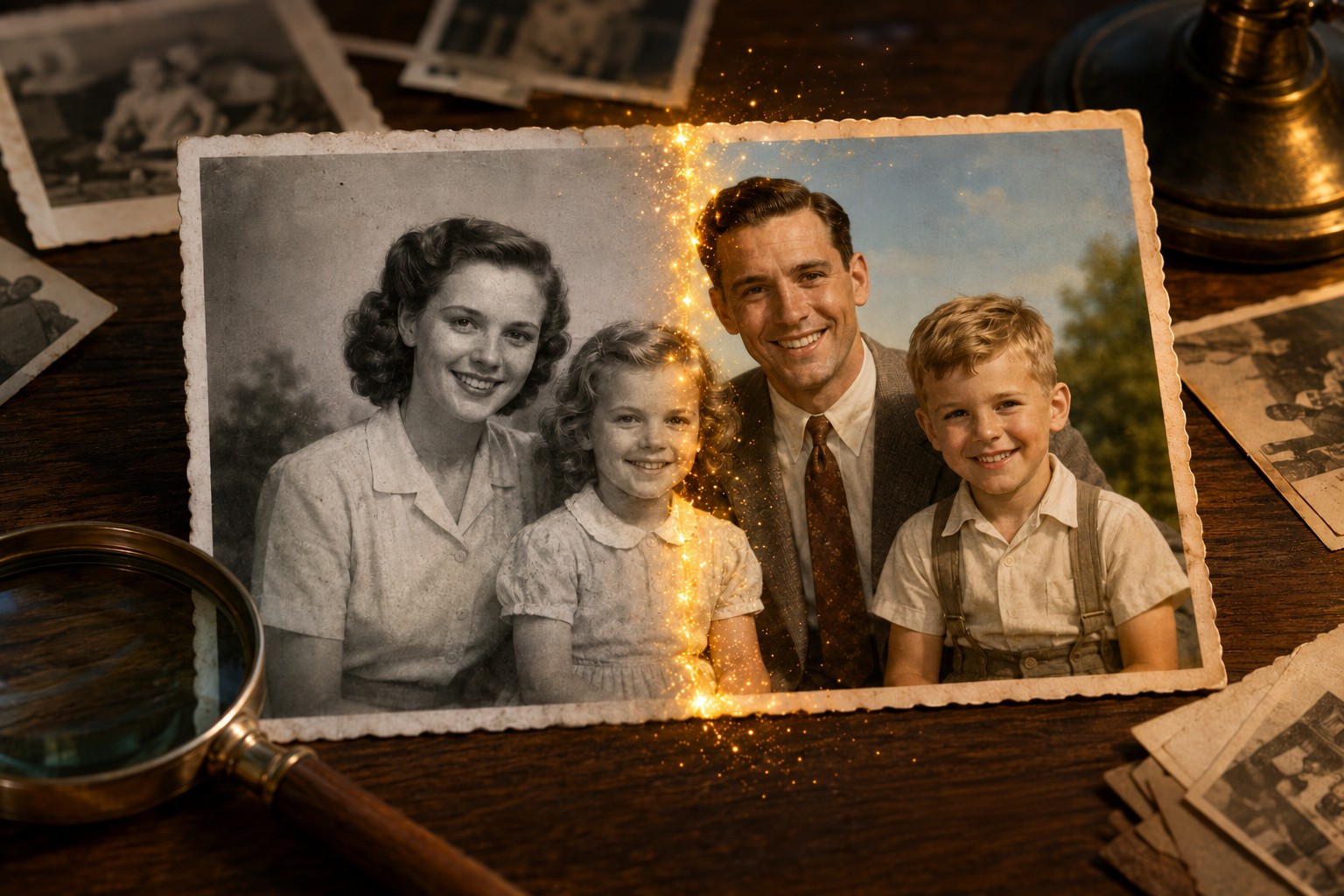
The Shoebox in the Attic
We all have that box somewhere — tucked away in a closet, gathering dust in the attic, or buried at the back of a desk drawer. Inside it: photographs. Your grandma on her wedding day, stiff and smiling in a dress you've only heard described. Your dad as a teenager, leaning against a car you can't quite picture the color of. A childhood vacation where the ocean is just different shades of gray.
These moments are frozen in time, but they're also frozen in monochrome. You've wondered what they really looked like — what color was her bouquet? Was that car red or blue? How blue was that ocean, really?
Well, wonder no more. You can now colorize photos online for free using AI, and it doesn't take a photo editing degree or an expensive subscription. Our tool at ImgSkit breathes life back into black and white images in seconds — and here's the fun part: you don't have to settle for "natural" colors. You can reimagine your old photos in anime style, cyberpunk neon, 90s retro vibes, and a whole lot more.
What Makes This AI Photo Colorizer Different?
Plenty of tools can slap some color on a black and white photo. Most of them use one algorithm, give you one look, and call it a day. We built ours differently because we think colorization shouldn't be a one-size-fits-all trick — it should be a creative tool.
5 AI Models Under the Hood
Instead of locking you into a single algorithm, we give you a full toolkit. Pick whichever model works best for what you're colorizing:
- GPT Image 2 — Your reliable everyday workhorse. Balanced, natural, and great for most family photos
- UniDiffNet — The portrait specialist. Skin tones look exceptionally human with this one
- MJV7 — Bold and vibrant. If you want colors that pop, this is your pick
- Gemini 3 Pro — The history buff. Vintage and archival photos get especially careful treatment
- Gemini 3.1 — The newest addition. Sharper details, better edge handling, overall refinement
It Goes Both Ways
Colorization isn't the only trick up our sleeve. Toggle over and you can also convert color photos to beautiful black and white — perfect for that timeless Instagram feed or a classy funeral program. Two tools, one page.
And Then There Are the Styles
This is where things get really fun. On top of choosing your AI model, you also pick an artistic style. You're not just adding color — you're setting a mood.
Every Art Style Explained (With Ideas for When to Use Each)
Let's walk through what each style actually does and which photos it works best with.
No Specific Style
The default, and honestly pretty great for most things. The AI just does its best guess at natural, realistic colors. Perfect for when you want to know what something probably looked like. Great for family photos, historical images, and everyday snapshots.
Akira (Otomo Katsuhiro Style)
Channel the legendary manga artist behind Akira and Steamboy. Think bold lines, dramatic lighting, and that iconic cel-shaded anime look. This one is incredible for cityscapes, motorcycle shots, and anything with a gritty, futuristic edge. Your grandpa's old motorcycle photo? Instantly cooler.
90s Retro
Warm tones, slightly faded, that nostalgic feel of flipping through a 1996 family album. The colors are a little desaturated, the contrast is soft, and it just feels like childhood. Perfect for — you guessed it — actual 90s photos, but also fun for giving newer photos that throwback vibe.
Anime Style
The classic anime aesthetic. Bright, clean, slightly stylized colors that make everything look like a still from a Ghibli film (well, almost). Works beautifully on nature scenes, school photos, and portraits with strong compositions.
Cyberpunk Anime Style
Neon lights, rain-slicked streets, that Blade Runner meets anime energy. Deep blues, glowing magentas, and high contrast. This one turns ordinary city photos into something straight out of a sci-fi movie. Try it on skyline shots or street scenes for maximum effect.
Makoto Shinkai Style
For the uninitiated: Makoto Shinkai is the director of Your Name and Suzume, famous for jaw-droppingly beautiful skies and hyper-saturated light. This style makes every cloud look dramatic and every sunset look cinematic. Landscapes absolutely sing with this one.
Chibi Style
Cute, rounded, super-deformed proportions — everything gets that adorable chibi treatment. It's playful, whimsical, and guaranteed to make you smile. Best for portraits of kids, pets, or anyone you want to see in tiny cute form.
Isekai Style
Isekai — the "transported to another world" genre — has a very specific look: fantasy landscapes, warm magical lighting, that slightly dreamlike quality. If you have photos of forests, castles, or even just a really pretty garden, this style makes them look like background art from a fantasy anime.
Watercolor Style
Soft, translucent washes of color, visible brushstroke texture, that delicate hand-painted feel you'd get from a watercolor artist's sketchbook. This style turns ordinary photos into something that looks like it was painted by hand. It's gorgeous for landscapes, florals, and architectural photos — basically anything that would look nice hanging in a frame.
Oil Painting Style
Thick, rich impasto texture, bold brushstrokes, deep saturated colors — like a classic oil painting from a museum. This one adds drama and weight to any image. Portraits feel regal, landscapes feel epic, and city scenes take on that moody, old-master quality. Perfect if you want something that feels like fine art instead of a photograph.
How to Colorize a Black and White Photo (3 Steps, Zero Experience Needed)
You don't need Photoshop skills. You don't need to watch a YouTube tutorial. Here's literally all you do:
Step 1: Drop Your Photo In
Click the upload box or just drag a black and white image right onto the page. JPG, PNG, whatever you've got — it works. If you've used ImgSkit before, you can also pull images straight from your material library.
Step 2: Pick Your Model and Style
This is the fun part. Choose an AI model (start with GPT Image 2 if you're unsure), then scroll through the style menu and pick whatever catches your eye. Can't decide? Start with "No specific style" for the natural version, then run it again with something creative.
Step 3: Hit Start and Be Amazed
Click "Start Generation," count to about ten, and there it is — your photo, but in color. Download it, share it, run it again with a different style. Go wild.

Who Is This For? (Spoiler: Basically Everyone)
Family Historians & Genealogy Nerds
There's something almost magical about seeing a great-grandparent's face in color for the first time. It makes them feel real in a way black and white never quite does. A lot of our users tell us they cried the first time they colorized a parent's baby photo. We get it.
Artists & Creative Types
Why colorize just to "restore" when you can reimagine? The style options turn old family photos into artwork worthy of a frame. Print out a cyberpunk version of your hometown and hang it on the wall. Turn your dog into a chibi character. It's genuinely fun.
Social Media Creators
Before-and-after colorization reels destroy on TikTok and Instagram Reels. The "wait for it" moment when the color kicks in? Pure engagement bait, and the good kind. Pair it with a trending sound and you're cooking.
Students & Teachers
History class gets a lot more interesting when the Civil War soldiers aren't just gray ghosts. Colorized archival photos make historical events feel closer, more human, easier to care about.
Pro Tips for the Best Results
A few quick things we've learned from colorizing way too many photos:
- Clean scans work better. If you're working with physical photos, scan them at 300 DPI or just take a really sharp photo with your phone on a flat surface in good light.
- Match the style to the subject. A landscape + Makoto Shinkai = chef's kiss. A portrait + UniDiffNet = chef's kiss. A city at night + Cyberpunk = chef's kiss. You get the idea.
- Run the same photo through multiple styles. You'll be shocked how different the same image can feel with just a style change.
- Don't go crazy on upscaling. The output matches the original dimensions for a reason. Blowing it up too much introduces weird artifacts.
- Keep the original. Always save the black and white version too. The before-and-after is half the fun.
Frequently Asked Questions
Is this AI photo colorizer actually free?
100% free for basic use. No credit card required, no account creation, no "free trial" that secretly charges you later. Just upload and go.
How accurate are the colors?
Honest answer: the AI is guessing, really well, based on millions of photos it's learned from. For things like skin, grass, sky, and common objects, it's usually very close to right. For something specific — like the exact shade of a 1952 dress — there's no way to know. The results look natural and convincing, but they're artistic interpretations, not historical fact.
Can I colorize more than one photo?
Absolutely. There's no hard limit on how many photos you can process. Just upload them one at a time.
What file types work?
JPG, PNG, WebP — basically every common image format. If your phone or camera takes it, we can probably colorize it.
Do you keep my photos?
Nope. Your images are processed temporarily and aren't stored permanently on our servers. Your grandma's wedding photo stays between you and grandma.
Can I use the colorized photos commercially?
As long as you have the rights to the original photo, yes — the colorized version is yours to use.
Ready to See Your Photos in Color?
That shoebox in the attic doesn't have to stay gray. With a free AI colorizer that gives you five models, ten-plus artistic styles, and zero hoops to jump through, you can start bringing memories to life right now.
Try the photo colorizer on ImgSkit — upload a photo, pick a style, and see what happens. We bet you'll end up running through your whole photo album before the afternoon is over.
And while you're here, check out the rest of ImgSkit.com for more AI image tools — generation, enhancement, all that good stuff. One toolbox for all your creative photo ideas.