imgskit Journal
Pet to Human AI: See What Your Dog or Cat Would Actually Look Like as a Person
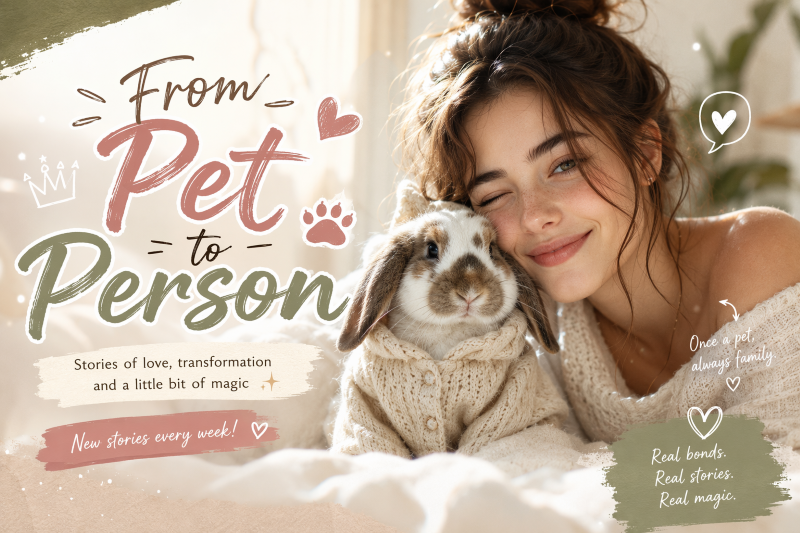
You've looked at your dog a hundred times and thought, "If you were a person, I bet you'd be exactly like this." Maybe it's the way she tilts her head when she's judging you, or the way your cat struts into a room like he owns the place. That mental image you've had for years? A pet to human AI tool can finally put a face to it — and honestly, the results are a little unsettling in the best way.
This isn't just another cute filter. Over the past few months, thousands of pet owners have been uploading a single photo and watching their dog, cat, or even hamster turn into a full human portrait — same eyes, same energy, same unmistakable personality. If you've been scrolling TikTok wondering how everyone is doing this, this guide walks you through exactly how it works, gives you a prompt you can copy right now, and points you to a free tool where you can try it yourself.
How to Turn Your Dog Into a Human With AI (Step by Step)
You don't need any editing skills, a design background, or expensive software. If you can upload a photo, you can do this.
- Pick a clear, well-lit photo of your pet. Front-facing shots work best — the AI needs to see the eyes, the coat pattern, and the overall expression clearly. Blurry or dark photos tend to produce weaker results.
- Choose your settings. Most tools let you pick a gender and an age range for the human version — from baby to senior — so you can decide whether your golden retriever becomes a golden retriever toddler or a golden retriever grandpa.
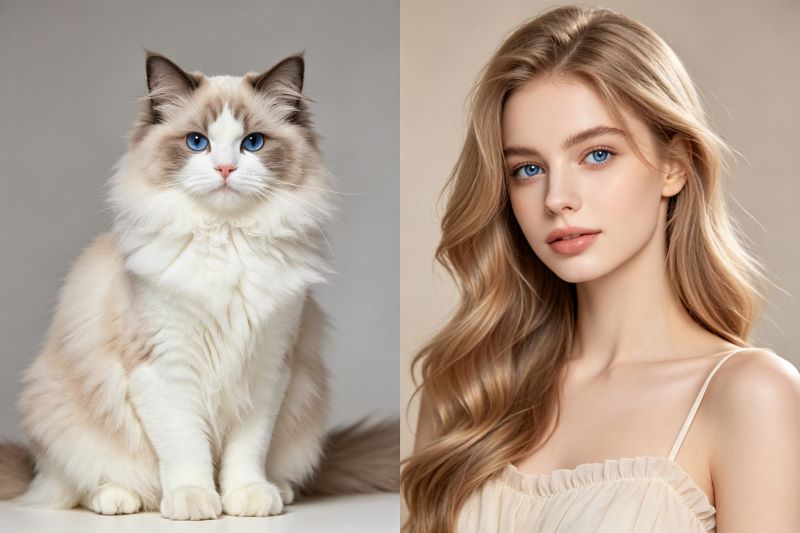
- Generate and compare. A good pet to human AI generator will keep the personality markers intact: the color of your cat's fur often becomes hair color, a dog's markings might turn into freckles, and even collars sometimes reappear as necklaces.
- Download and share. Most people post the before-and-after side by side — that contrast is exactly why this trend keeps spreading.
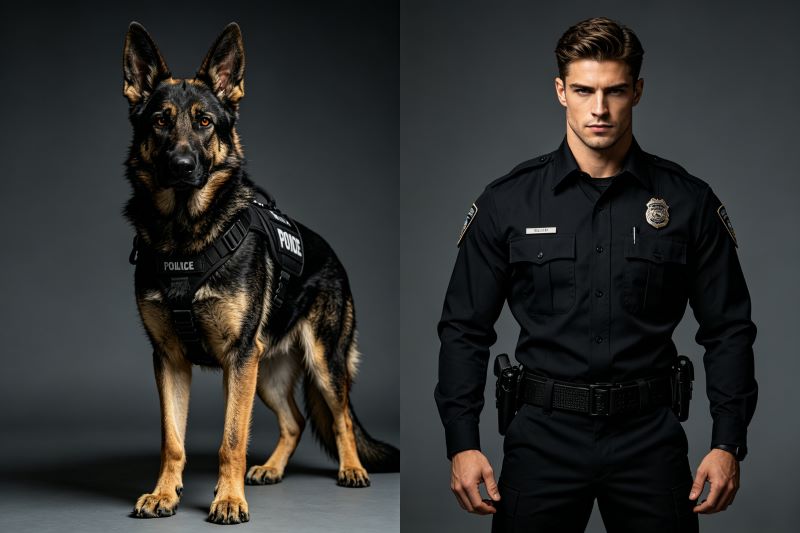
The reason this trend has stuck around longer than most AI filters is simple: it's personal. It's not a generic anime avatar — it's your pet, reimagined, and the AI usually nails just enough detail that it feels eerily accurate.
If you want to skip the trial and error, this is exactly the kind of transformation you can try directly on ImgsKit using models built specifically for keeping facial and personality details consistent — no prompt engineering required.
Best Free AI Pet to Human Generator Options in 2026
Not every AI pet to human generator handles this the same way, and the differences actually matter if you want a result that looks like your pet and not a random stranger.
- General chat-based tools (like asking ChatGPT or Gemini directly) work fine for a quick, casual try, but results can vary a lot between attempts and you often need several tries to get something you're happy with.
- Dedicated image models tend to be more consistent. On ImgsKit, you can run the same photo through GPT Image 2, Midjourney V7, and Gemini 3 Pro side by side — GPT Image 2 tends to produce warmer, more natural skin tones, Midjourney V7 leans into more cinematic, stylized portraits, and Gemini 3 Pro is often the strongest at preserving your pet's exact coat pattern and eye color in the human version.
- Free vs. paid tiers: most free versions cap you at a few generations a day, which is honestly enough to find the one result you'll actually want to post.
If you're going to try more than one pet photo (multi-pet households, we see you), a platform where you can compare models in one place saves a lot of back-and-forth.
Copy-Paste Pet to Human AI Prompt You Can Use Right Now
Here's a prompt structure that consistently produces strong, realistic results. Paste this into ChatGPT, Gemini, or directly into ImgsKit's prompt box along with your pet's photo:
"Transform this pet into a realistic human version. Preserve the exact fur/coat color as hair color, keep the same eye color and expression, match the personality and energy of the original photo. Studio portrait lighting, natural skin tone, close-up shot, photorealistic style, no text or watermark."
A few tips to get better results:
- Be specific about age and gender if you want control — otherwise the AI will guess based on the photo.
- Mention accessories. If your pet wears a collar or bandana, ask the AI to reinterpret it as a necklace or scarf — this is often what makes the result feel connected to the original photo.
- Try a second angle. If the first result doesn't feel like "them," a different source photo (especially one where their expression is more distinct) usually fixes it.
Frequently Asked Questions
Is turning my pet into a human with AI free? Yes, most platforms — including ImgsKit — let you generate a pet to human AI image for free, usually with a daily limit on generations.
Which AI model gives the most realistic pet to human results? It depends on what you're going for. For photorealism, Gemini 3 Pro and GPT Image 2 tend to perform best; for a more stylized, poster-like look, Midjourney V7 is a strong choice.
Does this work for cats, birds, and other pets, not just dogs? Yes — the same pet to human AI process works for cats, rabbits, birds, and most other pets, as long as the source photo is clear.
Will the AI keep my pet's actual features, or just generate a random person? A good tool preserves specific traits — coat color, eye color, and expression — rather than generating a generic face. If your result looks like a stranger, try a clearer, more front-facing photo.
The Takeaway
At the end of the day, this trend has stuck around because it turns something you already feel — "my pet has such a specific personality" — into something you can actually see. A solid pet to human AI result doesn't just look human, it looks like them, and that's the whole appeal.
If you've been putting off trying it, this is your sign. Upload your pet's photo and try the pet to human AI generator on ImgsKit — it takes less than a minute, and you might finally get to meet the human version of your best friend.