imgskit Journal
How to Generate 3×3 OC Sticker Sheets Using AI | Complete Prompt Guide
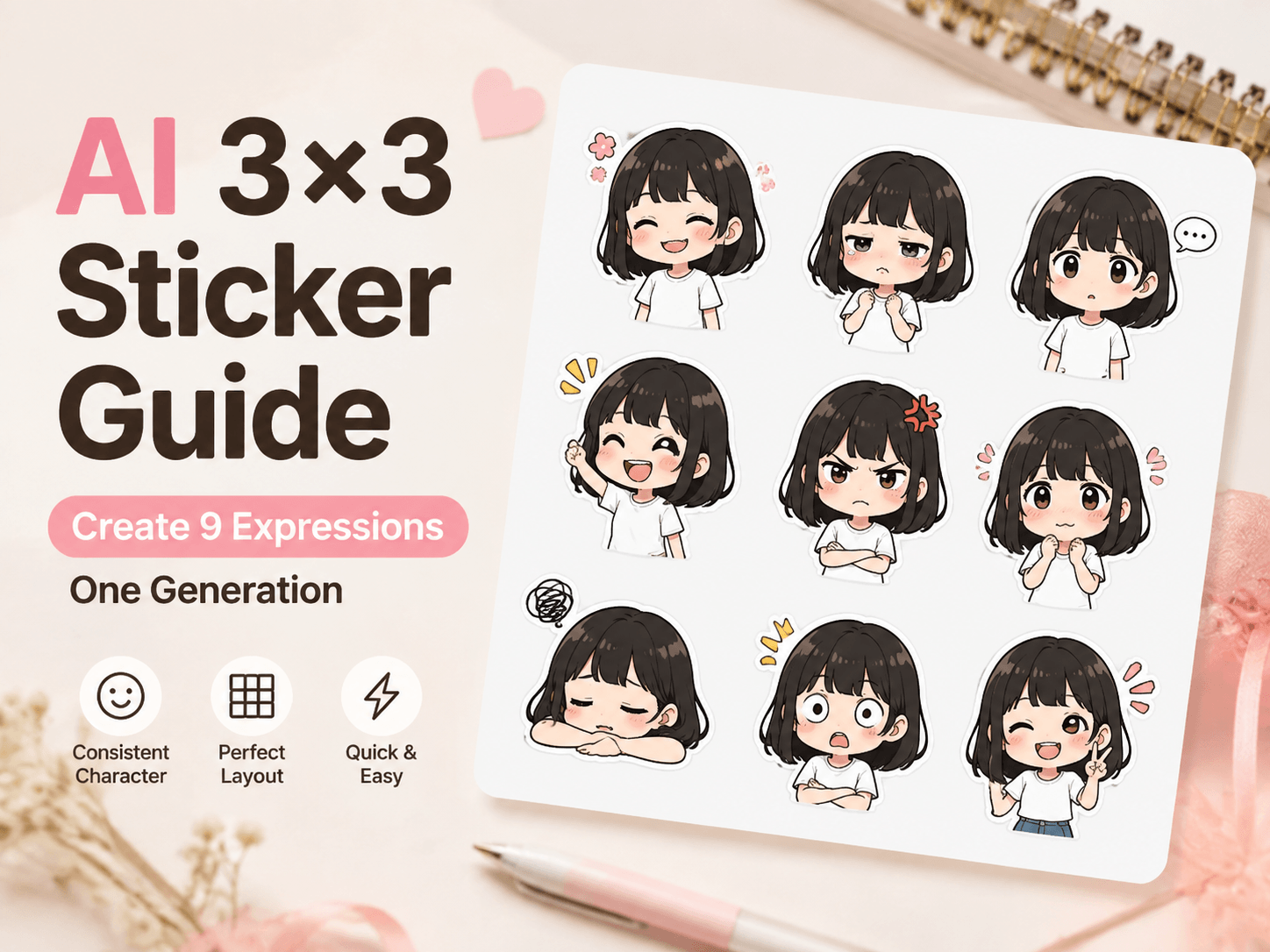
Thanks to modern AI image generation tools, anyone can create a complete set of nine-grid character stickers in one single generation. This guide will walk you through the full workflow, including optimized prompts, professional settings, error fixes, and community sharing methods.
Benefits of 3×3 Nine-Grid Sticker Layout
The 3×3 sticker sheet layout is the most suitable format for creating character emoji packs. It contains 9 independent sticker units evenly arranged on a square canvas. Each sticker reserves clear blank gaps for easy cropping and post-processing.
This layout allows creators to generate multiple expressions at once, including happy, shy, angry, speechless, shocked, and relaxed poses. The entire sticker set maintains unified character features, colors, and clothing styles, ensuring a cohesive look for social media and chat applications.
Step-by-Step Workflow for AI Sticker Generation
1. Preparation and Reference Settings
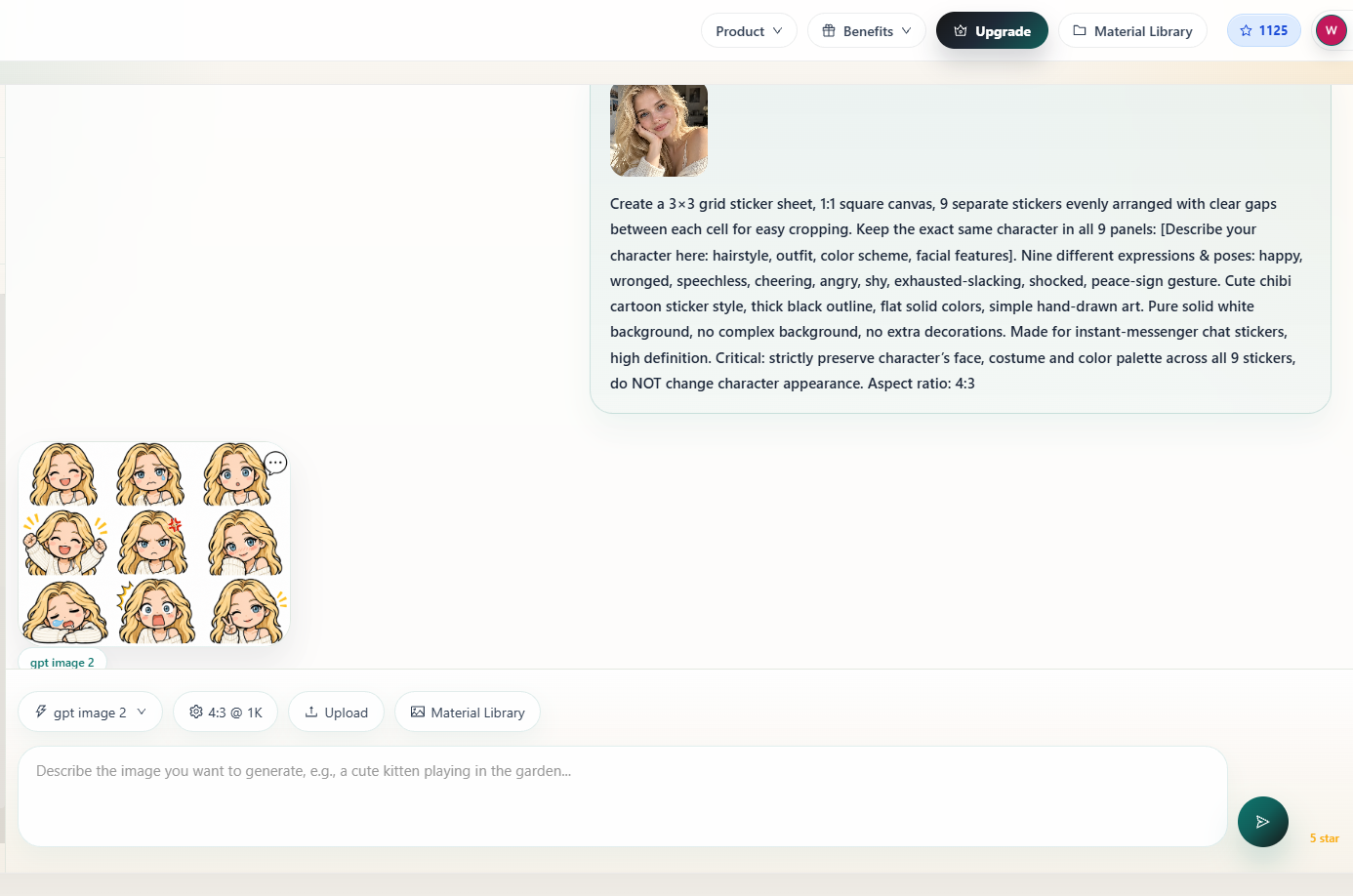
For the best visual consistency, it is highly recommended to upload your original character reference image before generating. Text descriptions alone cannot fully lock facial features, which may cause different appearances in each grid.
A reference image stabilizes the character’s face, hairstyle, body proportion, and outfit across all nine stickers.
2. Optimized Positive Prompt
Copy and paste the prompt below. Modify the character description according to your own OC design.
English Prompt:
Create a 3×3 grid sticker sheet, 1:1 square canvas, 9 separate stickers evenly arranged with clear gaps between each cell for easy cropping.
Keep the exact same character in all 9 panels: short black‑hair girl, round face, white t‑shirt, cute chibi girl.
Nine different expressions & poses: happy, wronged, speechless, cheering, angry, shy, exhausted‑slacking, shocked, peace‑sign gesture.
Cute chibi cartoon sticker style, thick black outline, flat solid colors, simple hand‑drawn art. Pure solid white background, no complex background, no extra decorations. Made for instant‑messenger chat stickers, high definition.
Critical: strictly preserve character’s face, costume and color palette across all 9 stickers, do NOT change character appearance.
3. Professional Negative Prompt
Use this negative prompt to filter deformed structures, messy details, and low-quality artifacts:
English Prompt:
deformed hands, extra fingers, distorted face, garbled text, watermark, complex background, multiple different characters, blurry, lowres, photorealistic, photograph, heavy shadow, messy layout
4. Generate and Crop Stickers
After entering the prompts, start AI generation. Once you get a satisfactory result, download the full sticker sheet.
The preset blank gaps between each grid allow users to quickly split the image into 9 independent high-quality stickers for daily chat use.
How to Submit Stickers to imgskit Community
If you want to share your works with other creators, you can submit your sticker sheet to the imgskit community.
Follow these standard submission settings:
- Category:
Sticker - Title:
3×3 Chibi Character Chat Sticker Pack - Prompt: Paste your complete positive prompt
- Artwork Image: Upload your final sticker sheet
- Creative Inspiration: Briefly introduce your sticker design
- Alt Text: Add concise image description for SEO
All community posts will pass administrator review before public display.
Common Generation Issues and Fixes
Layout Overlapping Problem
If stickers overlap or the grid structure is disordered, add this sentence to your prompt:
strict 3-row-3-column layout, no overlapping stickers
Character Inconsistency Problem
Always use a reference image. Text-only prompts cannot fully lock character details, resulting in inconsistent faces and proportions.
Poor Cropping Experience
Avoid heavy shadow, gradient, or complex background effects. Flat color and bold outline styles are the most sticker-friendly and easy to edit.
Conclusion
AI sticker generation completely lowers the threshold for original character creation. Creators can now produce high-quality, consistent, and personalized nine-grid emoji packs without commission fees or hand-drawing work.
Whether for personal use or community sharing, this efficient AI workflow is one of the best ways to visualize your original character’s diverse emotions and personalities.